Migrate from Trello to a Real Service Desk
Trello is a great board — until you're running client support on it. This guide shows exactly how a board becomes a service desk in StrataDesk: what the import wizard moves, how lists map to ticket statuses, and what to set up afterwards.
Five Signs You've Outgrown Trello for Client Support
Cards aren't tickets
No requester, no SLA clock, no status workflow — just a card someone has to remember to move.
Every client on one board
Client names in card titles, everyone's work visible to whoever has the board link.
Time lives in another tool
Toggl (or a spreadsheet) on the side, reconciled by hand at invoice time.
No SLAs, no accountability
"We answer within 8 hours" is a promise you can't measure on a kanban board.
Clients ask for a portal
You can't give a client a branded place to submit and track their own requests.
Sound familiar?
A software company we migrated ran a 476-card board exactly like this. Read the case study.
The Import Wizard, Step by Step
Step 1 — Connect.
Authorize StrataDesk against your Trello account. Read access is enough; your board stays untouched.
Step 2 — Select board.
Pick the board to import. One board per client works best — each client's tickets land in that client's own space (and own database).
Step 3 — Map lists to statuses.
Your lists become ticket statuses: "Doing" → In Progress, "Done" → Resolved. Your workflow survives the move — it just gains structure.
Step 4 — Preview.
See exactly what will be imported — cards, checklists, attachments with total size — and choose the ticket type and SLA policy imported tickets get. Nothing is written yet.
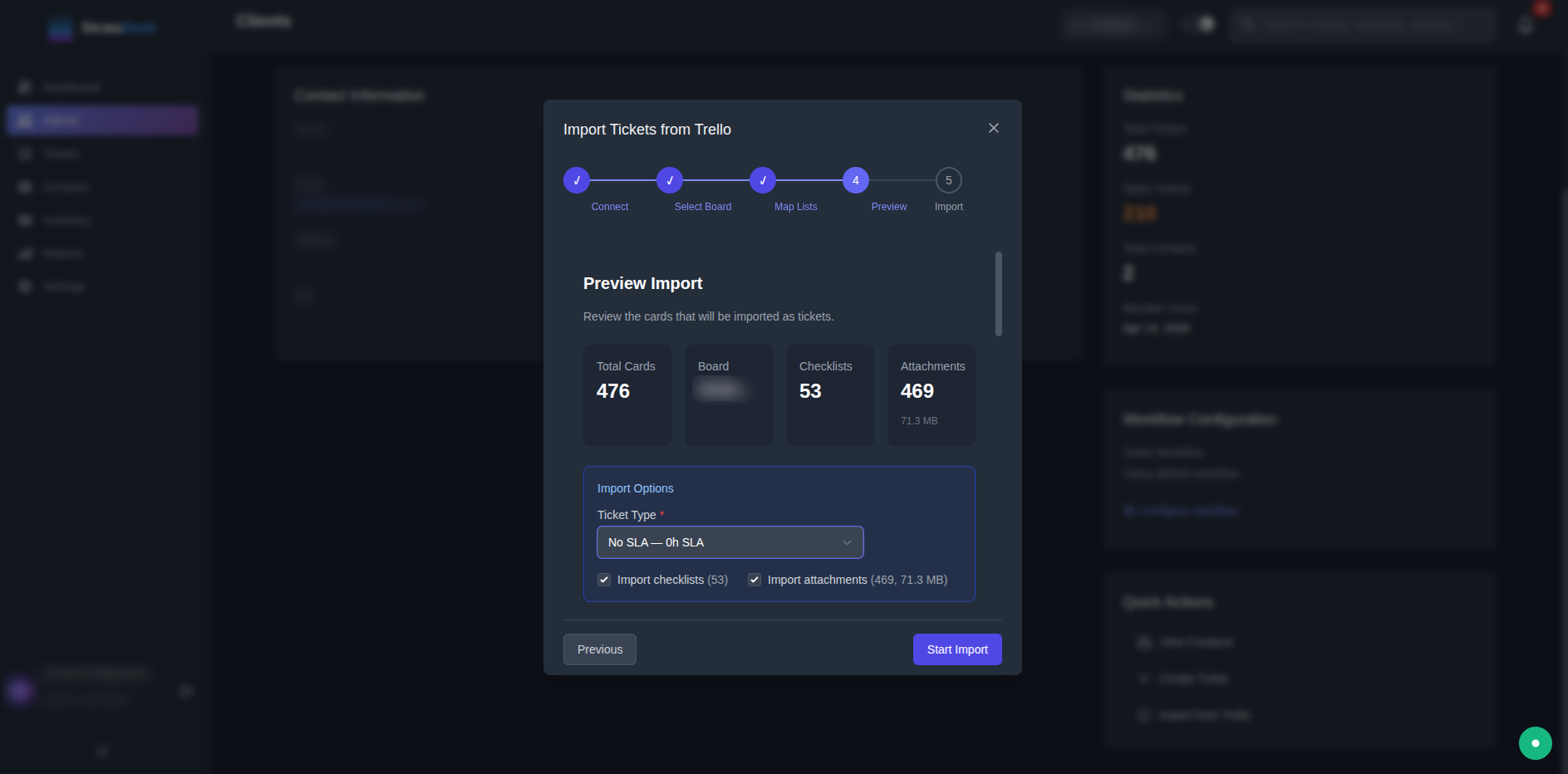
Step 5 — Import.
Run it. A 476-card board with 469 attachments (71.3 MB) completed in minutes in the migration we've documented publicly.
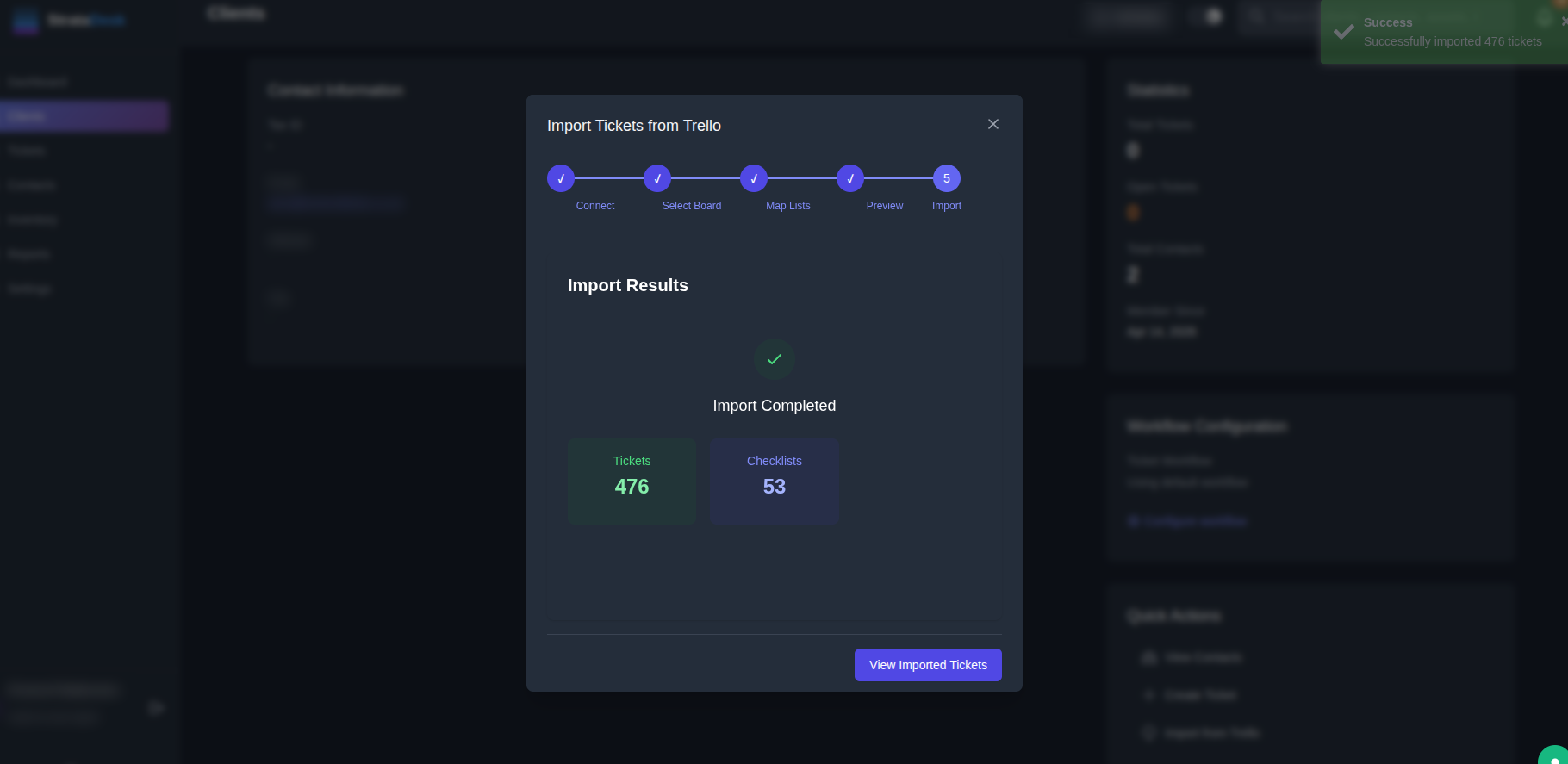
What comes across
After the Import: 30 Minutes of Setup
- 1. Set real SLA policies. The import assigns a default; now define response/resolution targets per client tier.
- 2. Invite your team. Agents are free — per-client access mapping decides who sees which client.
- 3. Give the client their portal. Branded with their logo, showing only their tickets — the thing a Trello board could never do.
- 4. Turn on time tracking. It's built into every ticket — retire the second tool.
- 5. Archive the board. Don't delete it — archive it and stop paying attention to it. If the import preview matched, you have everything.
Want It Done for You?
Founding customers don't even run the wizard — we do the migration personally, free. Request a space and your board is a service desk this week.